
Refund an order
For any Fully/Partially Captured order, you may issue a refund back to the customer using the Taly Partners Portal.
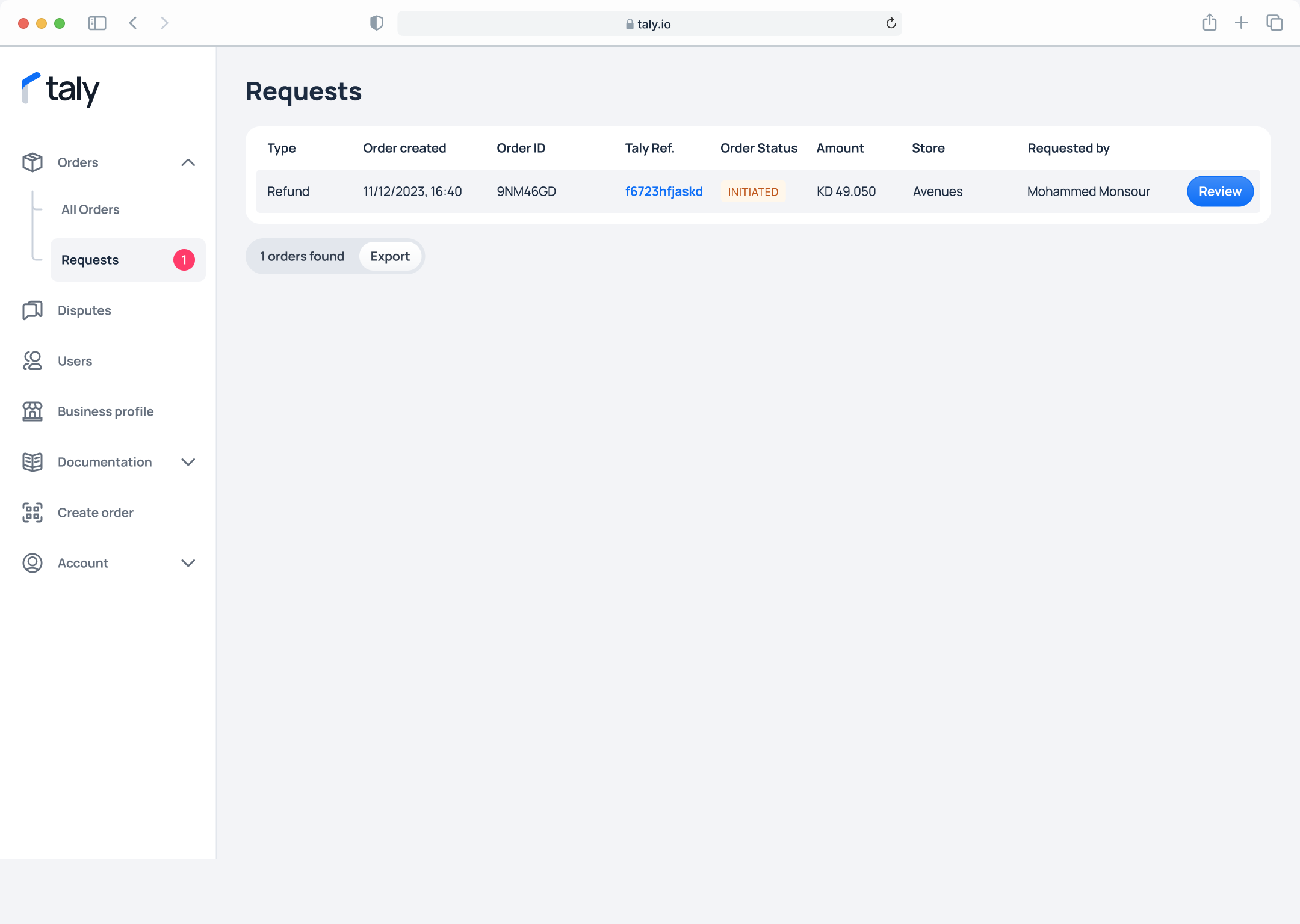
Step 1. On the left sidebar, click on Requests under Orders.
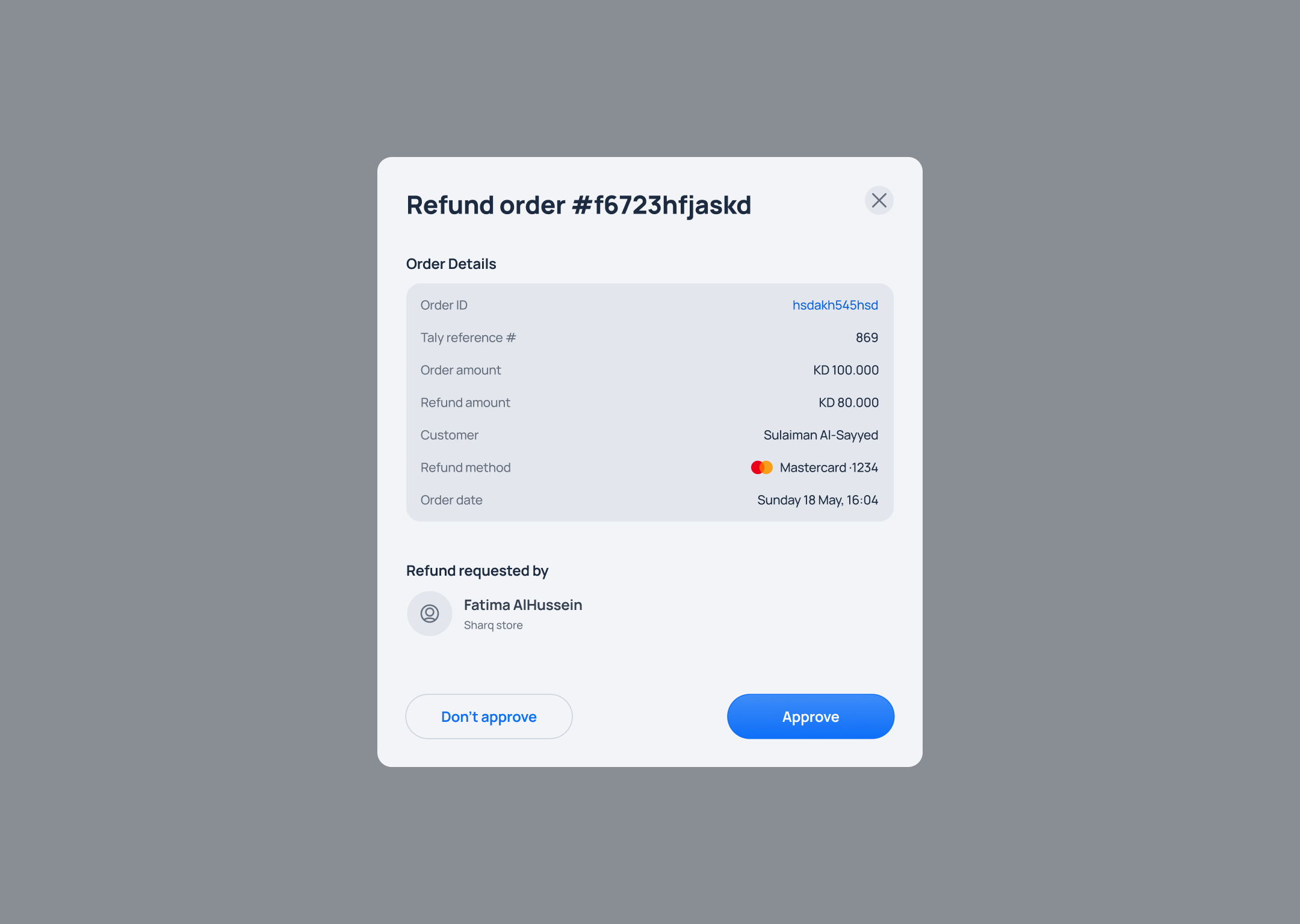
Step 2. You will first see a summary of the order details. To proceed with the refund, simply click the Approve button.
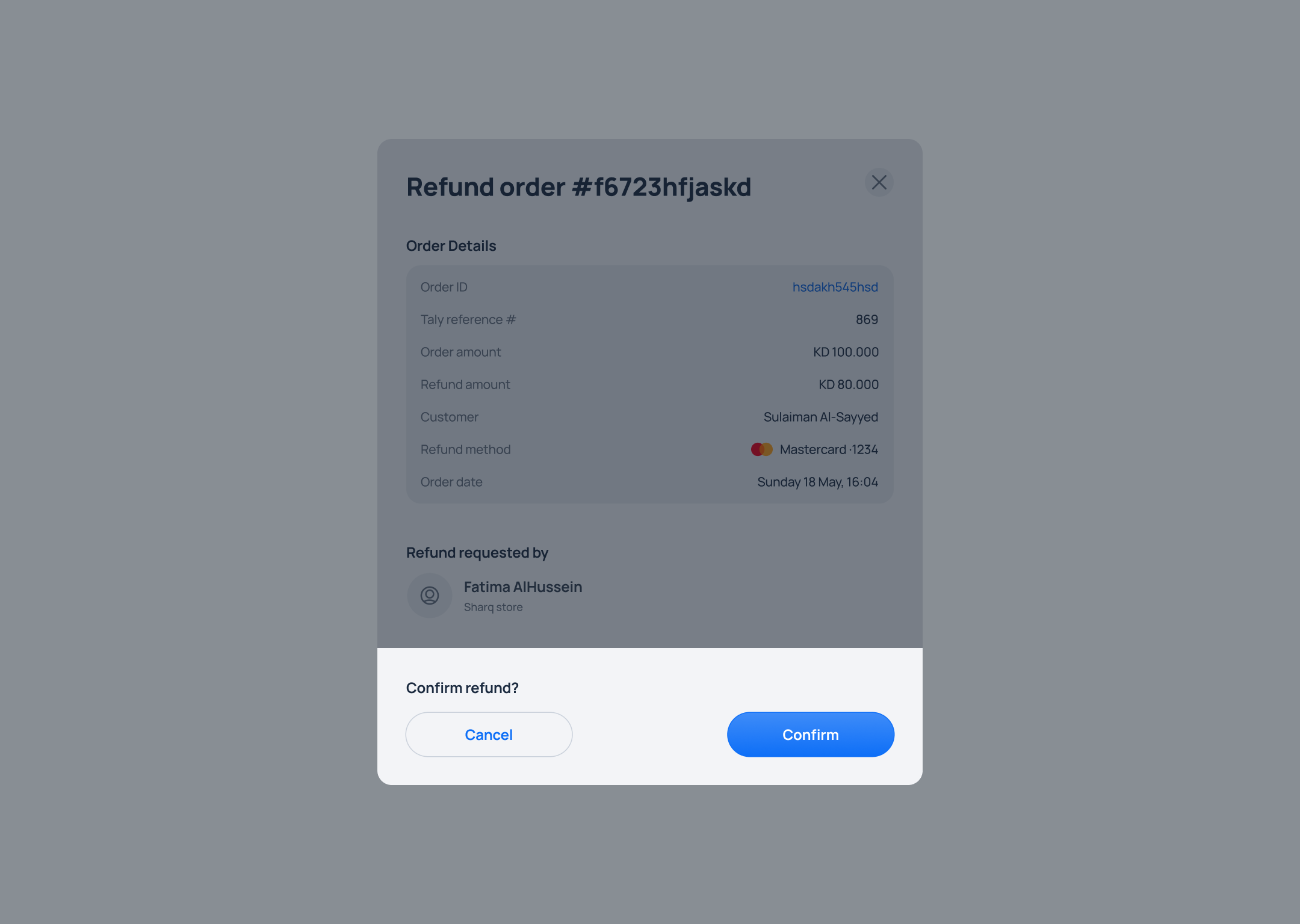
Step 3. Confirm the refund request by clicking on the Confirm button.
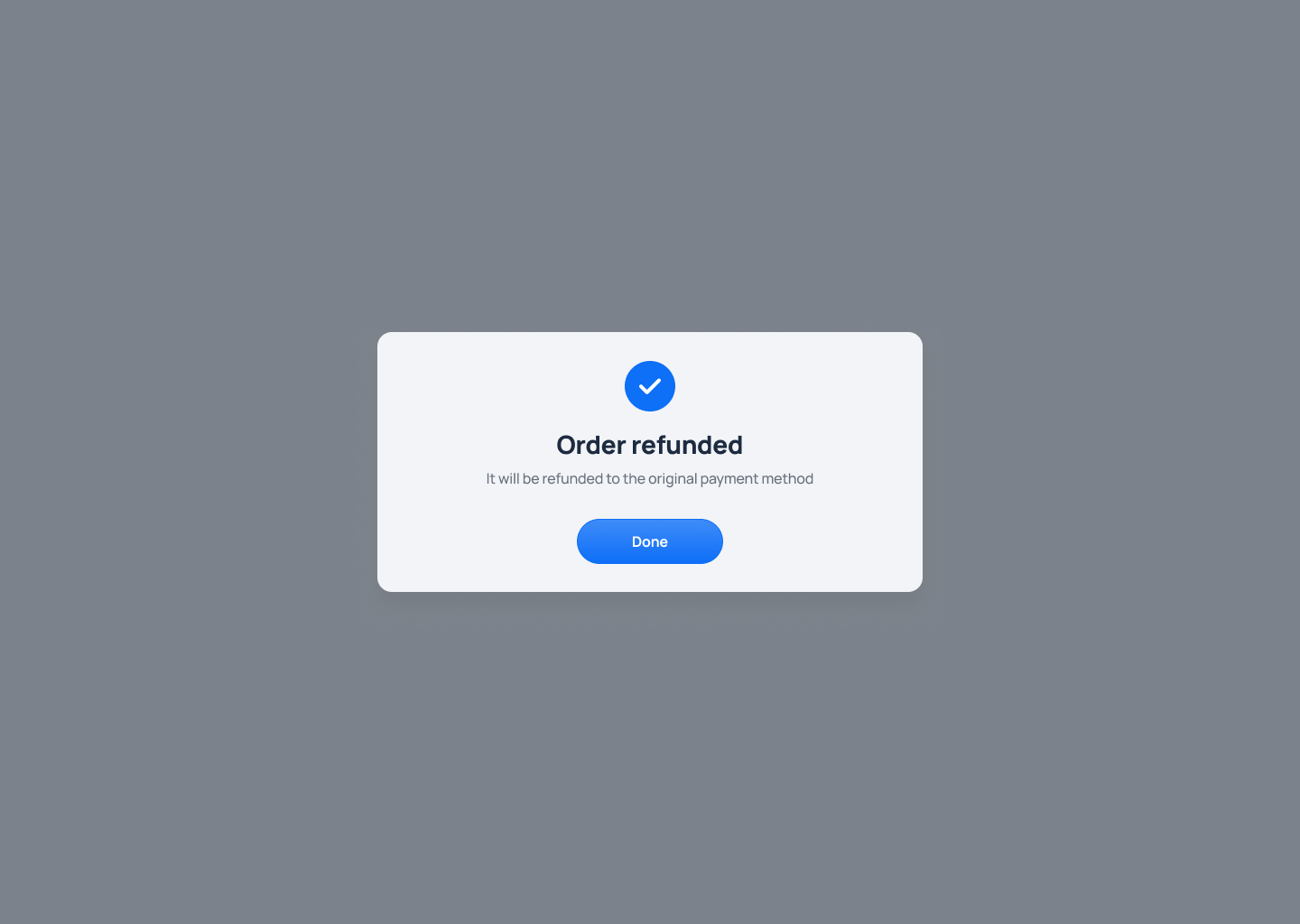
Step 4. A confirmation message will appear on the screen to indicate that the order has been successfully refunded.
Updated over 1 year ago
Did this page help you?