
Online Checkout
Your checkout is our priority! Implement Taly seamlessly for an enhanced payment experience. We're here to guide you every step, ensuring Taly integrates flawlessly, empowering smooth transactions and delighted shoppers
How it works?
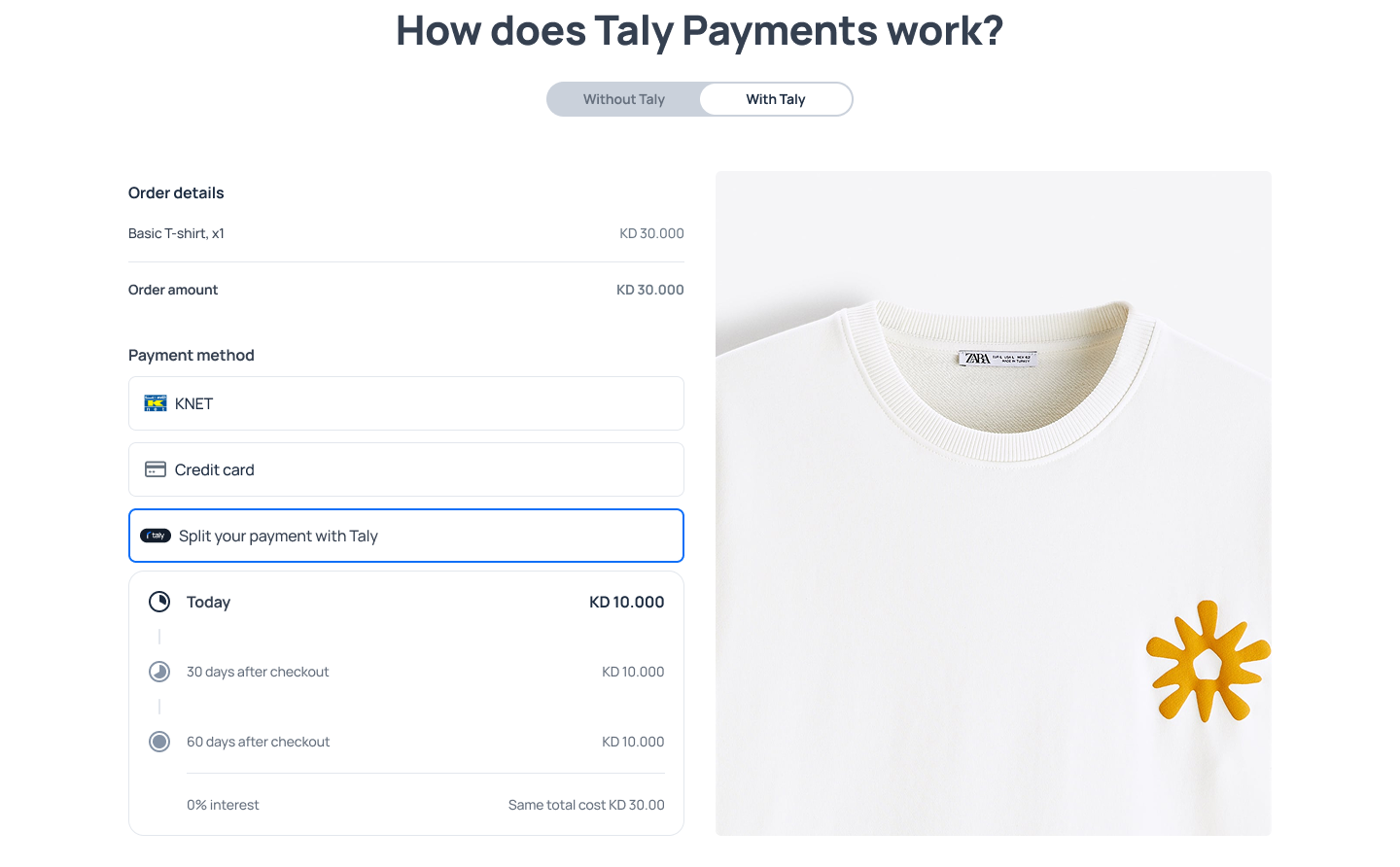
Step 1: Select Taly at Checkout
At checkout, offer your shopper the option to pay with Taly. This will give them access to flexible payment options, such as Split in 4 or Pay Later.
Step 2: Redirect to Taly's Checkout
Once a shopper selects Taly, redirect them to Taly's checkout. This will ensure a smooth transition and allow the customer to complete their payment securely.
Step 3: Creating an Account
Customers will need to create an account and complete Know Your Customer (KYC) verification before they can complete their purchase. Taly has streamlined this process to make it as quick and easy as possible.
Step 4: Choose a Payment Plan
Taly offers multiple payment plans:
Split in 3: Shoppers can split their purchase into three equal payments, with an initial down payment of 33%.
Pay Later: Shoppers can pay for their purchase in full after 30 days.
Step 5: Complete payment and get confirmation
Once the shoppers completes their payment, you and Taly will both receive an order confirmation. This ensures that both parties are aware of the successful transaction.
Updated 11 months ago
What’s Next
You'll need to check the Partner Account section.